Campus wireless
SC4 offers wireless internet access throughout its Port Huron campus buildings. By connecting to the college’s wireless network, you agree to abide by SC4’s Acceptable Use Policy, which can be found in the SC4 College Catalog.
Students taking classes for credit must activate their SC4 student email account to be able to access the wireless network.
Non-credit students and community residents who wish to access the wireless network can use the SC4Guest wireless network.
The steps to connect may vary by device or operating system version. For assistance with connecting a personal device to the wireless, please contact the helpdesk at (810) 989-5615.
Connecting with an Android device
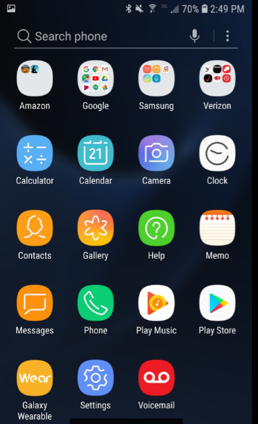
1. Go to settings
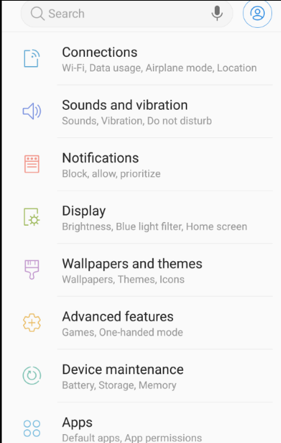
2. Select connections
3. Select WIFI
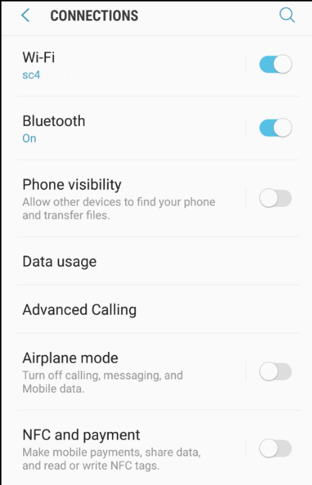
4. Select the wireless network labeled “SC4 Guest.”
5. Accept the terms on the page that opens and you will be connected.
Connecting with a iOS device
1. Go to the System Settings

2. Select WI-FI
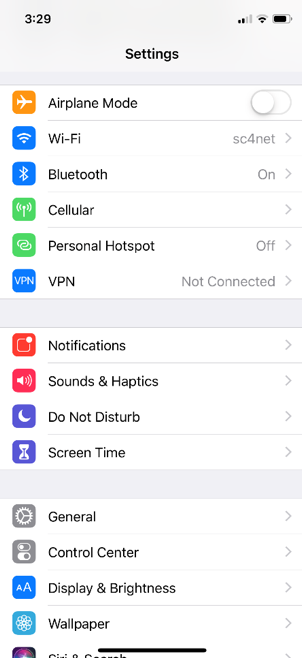
3. Select the network named “SC4 Guest”